Comparing options? Browse all Accessories & Cables reviews.
Quick answer: The EVGA UVPlus+ 39 USB adapter generally offers solid performance for Mac OS X users, providing a good solution for adding extra displays. Pros buyers mention: solid performance on Mac OS X; nice matte black finish; good grip with rubber strips. Cons buyers mention: flickering on Mac with auto background; slight lag/artifacts on full screen video.

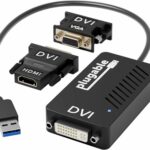
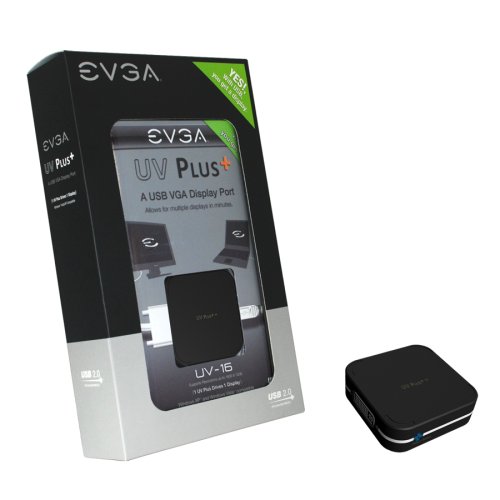
The EVGA UVPlus+ 39: USB Display Adapter (HD) is a useful gadget. It lets you add another screen easily. Imagine your computer is a busy artist. It needs more canvas space. This adapter gives it just that. You simply plug it into a USB port. Then you connect your monitor. It works with VGA, DVI, or HDMI. This means it is very versatile. Therefore, it is a great tool for many setups. Furthermore, it supports high resolutions. You can get 1920×1200 or 2048×1152. This ensures a clear picture. Hence, your work looks sharp.
This EVGA UVPlus+ 39: USB Display Adapter (HD) is quite simple to use. No complex setup is needed. It is like adding a new window. You just snap it into place. The drivers usually install automatically. Nevertheless, it comes with a CD too. It handles different display types. You might have an older VGA monitor. Or perhaps a newer HDMI screen. This adapter handles both. Therefore, it bridges the old and new. Moreover, it uses USB 3.0. This provides fast data transfer. So, your display stays smooth. Consequently, there’s little lag.
Overall, the EVGA UVPlus+ 39: USB Display Adapter (HD) is a solid choice. It expands your workspace effortlessly. Think of it as a helpful assistant. It manages your extra screens. It is perfect for multitasking. You can browse and work simultaneously. Furthermore, it is a compact device. It won’t take up much room. Ultimately, it offers great value. It’s a smart way to upgrade. It truly unlocks more possibilities.
Key Features
- USB 3.0 connectivity
- Supports DVI output
- Supports HDMI output
- Supports VGA output
- Max resolution 1920×1200
- Max resolution 2048×1152
- Supports up to 2 monitors
- Mirror or extend display
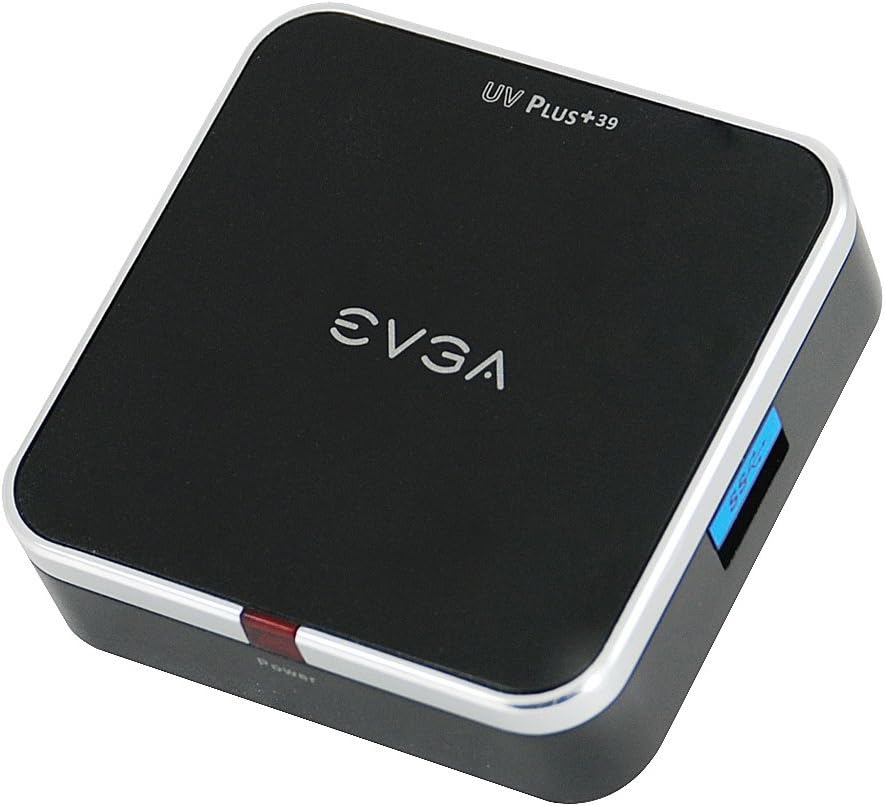
- Compact and portable design
- Silent operation
The EVGA UVPlus+ 39 is a handy device that lets you connect extra monitors to your computer using a fast USB 3.0 port. It works with older VGA monitors and newer DVI or HDMI screens, allowing you to use up to two additional displays. You can either show the same thing on all screens (mirror display) or have more space to work by extending your desktop across them. It can handle clear pictures up to resolutions like 1920×1200 or 2048×1152, and its small size and quiet operation make it easy to use anywhere.
Pros and Cons
👍 Pros
- Solid performance on Mac OS X
- Nice matte black finish
- Good grip with rubber strips
- Works with old monitors (1650×1050)
- Movies look fine
- Low CPU usage (.6 to 1%)
- Works great on OS X Mountain Lion
- Image quality equivalent to primary display
- HDMI provides flawless audio
- Works with two displays (even USB 2.0)
- All OS X display controls work
- Can play 1080p content with no lag
- Great price for a second monitor
👎 Cons
- Flickering on Mac with auto background
- Slight lag/artifacts on full screen video
- More noticeable lag with two displays
- USB 3.0 plug issue with Macbook USB 2
- Display continued to show after unplugging
- Product failed within three months
- EVGA customer service is less than poor
- Screens locking up with long non-use
Bottom Line
The EVGA UVPlus+ 39 USB adapter generally offers solid performance for Mac OS X users, providing a good solution for adding extra displays. It handles various resolutions, including older monitors, and delivers clear images and smooth 1080p video with low CPU usage, even with flawless audio via HDMI. However, some users might experience minor issues like flickering, slight lag with full-screen video, or increased lag when using two displays. There have also been reports of the device failing within a few months, accompanied by poor customer service from EVGA. Read more →




Frequently Asked Questions
What do buyers like about the EVGA UVPlus+ 39: USB Display Adapter (HD)?
Buyers most often mention: solid performance on Mac OS X; nice matte black finish; good grip with rubber strips; works with old monitors (1650×1050).
Are there any problems with the EVGA UVPlus+ 39: USB Display Adapter (HD)?
The main complaints: flickering on Mac with auto background; slight lag/artifacts on full screen video; more noticeable lag with two displays; USB 3.0 plug issue with Macbook USB 2.
Is the EVGA UVPlus+ 39: USB Display Adapter (HD) worth buying?
Most buyers are positive. Our 4.0/5 rating reflects the specs and buyer feedback, not lab testing, so compare it with similar models before you decide.
Who is the EVGA UVPlus+ 39: USB Display Adapter (HD) best for?
It suits shoppers browsing accessories & cables, especially if the pros above match how you plan to use it.
Related Posts