SmartSee Wireless Display Adapter Speaker: Real Buyer Feedback

Comparing options? Browse all Speakers, Soundbars & Subwoofers reviews.

Our Rating★★★★★4.2/5Based on 15 pros and 7 cons from buyer feedback

Quick answer: The SmartSee Wireless USB-C to HD Transmitter and Receiver Kit is a simple way to mirror or extend your screen from devices like the iPhone 15/16, Mac, or iPad to a TV, projector, or monitor. Pros buyers mention: works with no WiFi; works with iPhone 16; works well with Pixel phones. Cons buyers mention: image was slightly reduced; not 4K.

SmartSee Wireless Display Adapter
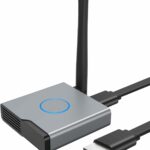
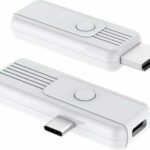
Figure 1 of 8First, a look at the SmartSee Wireless Display Adapter. This photo comes from the seller’s product page.

The SmartSee Wireless Display Adapter is a true game-changer. It mirrors your phone to the big screen. This adapter works with your iPhone 15 or 16. It also connects your Mac or iPad. Simply plug it into your TV, projector, or monitor. It’s truly plug and play. You don’t need any special software. This device is like a magic mirror. It takes what’s on your small screen. Then it instantly projects it bigger. This makes presentations a breeze. Sharing videos is also simple. You can even extend your display. Imagine having two screens. One on your device, one on the TV. This SmartSee Wireless Display Adapter is so useful.

Furthermore, this SmartSee Wireless Display Adapter is incredibly user-friendly. Setting it up is effortless. Just connect the transmitter to your device. Then plug the receiver into your display. No confusing buttons or complex menus. It automatically connects. This makes it perfect for anyone. Even if you’re not tech-savvy. My grandma could use this. It’s a truly intuitive design. You get wireless freedom. No messy cables are needed. This adapter cuts the cords. It frees you from limitations. Therefore, move around freely. Present from anywhere in the room. This convenience is a huge benefit.

Moreover, the SmartSee Wireless Display Adapter delivers reliable performance. The connection is stable. There’s minimal lag. This ensures smooth video playback. Your presentations will look sharp. Games will play seamlessly. It’s like having an invisible cable. But without any of the hassle. This makes it ideal for many uses. Think about family movie nights. Or important business meetings. Even for online learning. It truly expands your possibilities. Consequently, this adapter is a smart investment. It enhances your digital life. It brings your content to life. And it does so effortlessly.

Key Features

  • Wireless screen mirroring
  • Wireless screen extension
  • Plug and Play setup
  • No drivers or apps needed
  • No Wi-Fi network required
  • Supports iPhone 15/16
  • Compatible with Mac/iPad
  • Works with TVs, projectors
  • Full HD 1080p output
  • Low latency (0.07s

The SmartSee Wireless USB-C to HD Kit lets you share your screen from devices like the iPhone 15/16, Mac, or iPad to a TV, projector, or monitor without any wires. It’s super easy to use because you just plug it in and it works, with no extra apps, drivers, or even Wi-Fi needed. You can mirror your screen or extend it, and it shows everything in clear 1080p high definition with very little delay.

Pros and Cons

👍 Pros

  • Works with no WiFi
  • Works with iPhone 16
  • Works well with Pixel phones
  • Very easy of use
  • Plug-and-play experience
  • No drivers, no software
  • Video and audio crystal clear
  • Zero noticeable lag
  • Incredibly compact and perfect for travel
  • Seamless Wireless HDMI Streaming
  • Effortlessly streams in full 1080p
  • Works with multiple devices
  • Cut the cords and go wireless!
  • Eliminated need for HDMI cable
  • High quality

👎 Cons

  • Image was slightly reduced
  • Not 4K
  • Not for Galaxy S25
  • Goes into
  • Max get 10 seconds on screen
  • Not for A/V receiver to projector
  • Wouldn’t try gaming

Bottom Line

The SmartSee Wireless USB-C to HD Transmitter and Receiver Kit is a simple way to mirror or extend your screen from devices like the iPhone 15/16, Mac, or iPad to a TV, projector, or monitor. It’s plug-and-play, meaning you don’t need Wi-Fi, drivers, or software to get it working, making it very easy to use for anyone. You’ll experience clear video and audio with no noticeable lag, though the image quality is 1080p and not 4K. It’s also compact, making it great for travel, and it frees you from needing an HDMI cable. However, it’s not compatible with the Galaxy S25 or for connecting an A/V receiver to a projector, and it’s not recommended for gaming. Read more →

SmartSee Wireless Display Adapter - photo 2
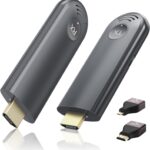
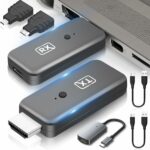
Figure 2 of 8Here is one more image of the SmartSee Wireless Display Adapter from the product page.
SmartSee Wireless Display Adapter - photo 3
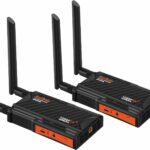
Figure 3 of 8Then, another picture of the SmartSee Wireless Display Adapter, as shown by the seller.
SmartSee Wireless Display Adapter - photo 4
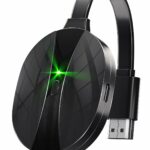
Figure 4 of 8And here is the SmartSee Wireless Display Adapter once again, from the same listing.
SmartSee Wireless Display Adapter - photo 5
Figure 5 of 8Another view of the SmartSee Wireless Display Adapter, taken from the product listing.
SmartSee Wireless Display Adapter - photo 6
Figure 6 of 8Meanwhile, the seller also shows the SmartSee Wireless Display Adapter from this angle.
SmartSee Wireless Display Adapter - photo 7
Figure 7 of 8Next, a closer look at the SmartSee Wireless Display Adapter as pictured in the listing.
SmartSee Wireless Display Adapter - photo 8
Figure 8 of 8Here is one more image of the SmartSee Wireless Display Adapter from the product page.

Frequently Asked Questions

What do buyers like about the SmartSee Wireless Display Adapter?

Buyers most often mention: works with no WiFi; works with iPhone 16; works well with Pixel phones; very easy of use.

Are there any problems with the SmartSee Wireless Display Adapter?

The main complaints: image was slightly reduced; not 4K; not for Galaxy S25; goes into.

Is the SmartSee Wireless Display Adapter worth buying?

Most buyers are positive. Our 4.0/5 rating reflects the specs and buyer feedback, not lab testing, so compare it with similar models before you decide.

Who is the SmartSee Wireless Display Adapter best for?

It suits shoppers browsing speakers, soundbars & subwoofers, especially if the pros above match how you plan to use it.

You might also like

▶ Watch the video review
See this product in action before you decide.
Video review thumbnail
More Speakers, Soundbars & Subwoofers reviews

    See all Speakers, Soundbars & Subwoofers →

    About TrendyProjectors.com

    TrendyProjectors.com is an evolving blog that focuses on product reviews. The product reviews provided here are after an extensive research. The research is conducted using various popular shopping websites, gadget blogs, discussion forums and more. Most of the reviews are taken from user's reviews posted on various selling platforms. In case, you want to publish your review on TrendyProjectors.com blog, please contact us via the contact page, we will be happy to assist you. Thanks

    View all posts by TrendyProjectors.com →

    Best Smartsee Wireless Display Adapter Pros Deals

    SmartSee Anycast HD Wireless Display Adapter WiFi 1080P Mobile Screen Mirroring Receiver Dongle for iPhone Mac iOS Android to TV Projector Support Miracast Airplay DLNA

    Image of SmartSee Anycast HD Wireless Display Adapter WiFi 1080P Mobile Screen Mirroring Receiver Dongle for iPhone Mac iOS Android to TV Projector Support Miracast Airplay DLNA

    Product Highlights

    • ✅ 1080P Wireless display: SmartSee Wireless display adapter can mirror the screen of phone, tablet, laptop, pc to your TV/projector/monitor wirelessly. Share photos, movies(unencrypted only), files to a big screen easily, up to 1080P resolution. What shows on your phone, tablet, laptop, pc can show up on another big display. Cast a small screen to a large one. Make your TV a smart TV.
    • ✅ Easy to use: No App or drivers required. 3 steps to enjoy media on large screen: Plug->Connect->Mirroring: Plug the dongle into the HD port of your TV, projector, or monitor>Power it using the included USB WiFi antenna>Switch your TV to the correct HD channel. The Anycast UI will show up, recognize your IP address and match your local language automatically. > Connect your device with the Anycast dongle. Connection steps differ by systems, follow the User Manual based on your device type.
    • ✅ Compatibility(Multi-Platform Support) and Limitation: Support Macbook series, iOS 9.0+, Android 5.0+, Windows 10 devices through Airplay, Miracast, DLNA. Notes: 1. NOT supports for Google Pixel or Motorola. 2. Android and Windows devices must support Miracast for screen mirroring to work. 3. Not compatible with the encrypted apps, such as Netflix/ Amazon Video/ HBO go/ Hulu Plus sky go/DIRECTV etc.
    • ✅ Wide Usage Scenarios (Professional & Everyday Use): Business & Office-Mirroring screen to projector, share PPT, mail, documents and other content wirelessly. Education & Training-Mirroring screen to big screen, share teaching content, classroom teaching, live demos, and workshops wirelessly. Home Entertainment- Watch with your family at home. Mirroring screen to TV, share photos, movies(unencrypted only) wirelessly. Travel & Mobile Work- Carry it while travelling, share your phone to TV anytime. Retail & Exhibitions-Product demos, promotional files, and catalogs. etc.

    Wireless Display Adapter iOS ONLY Screen Mirroring Dongle for iPhone iPad | Dual Band 5G 4K HD for Airplay Mirroring Direct to TV Projector Monitor, True 1-click to Connect

    Image of Wireless Display Adapter iOS ONLY Screen Mirroring Dongle for iPhone iPad | Dual Band 5G 4K HD for Airplay Mirroring Direct to TV Projector Monitor, True 1-click to Connect

    Product Highlights

    • ✅ DESIGNED EXCLUSIVELY FOR IOS USERS — NO MORE COMPATIBILITY HEADACHES: Unlike generic wireless display adapters that claim to support iOS, Android, and Windows but often result in confused connection and compatibility issues, this latest-generation wireless screen mirroring adapter is engineered exclusively for iPhone and iPad users. Fix the compatibility issues, modes switching, confused connection problems of the old version, delivering a faster, easier, and more reliable wireless screen mirroring experience.
    • ✅ TRUE ONE-TAP WIRELESS MIRRORING — NO APP, NO DRIVER, NO WIFI REQUIRED: Simply plug the wireless display adapter into your TV's HD port, connect the USB cable to a power adapter (5V/1A or above), and switch your TV to the corresponding HD input. Once installed, tap Screen Mirroring on your for iPhone or iPad to pair directly with the adapter—no apps, drivers, WiFi network needed. Enjoy instant wireless screen mirroring to any HD-enabled TV, projector, or monitor with just one tap.
    • ✅ UPGRADED HARDWARE PERFORMANCE — DUAL-CORE CHIPSET, 5GHZ & 4K DECODING: Featuring an upgraded dual-core processor, advanced H.264 hardware decoding, and high-speed 5GHz wireless transmission technology, this wireless HD display adapter delivers smoother, more stable, and lower-latency performance. Supports up to 4K video decoding and 1080P output, making it ideal for streaming photos, videos, presentations, documents, and surveillance monitoring on a larger screen.
    • ✅ PERFECT FOR HOME, TRAVEL, BUSINESS & EDUCATION: Share family photos and videos on your living room TV, share moments at parties, or instantly cast your for iPhone to hotel TVs while traveling—without leaking your personal information or configuring networks. This portable wireless display adapter is also an excellent solution for business meetings, classroom teaching, presentations, training sessions, and displaying security camera feeds on larger HD screens.

    SmartSee Wireless USB C to HD Display Adapter Screen Mirror Cast Extend for iPhone 15 16 17 18 & USB C Equiped Phone Laptop HD Transmitter and Receiver | No Setup Real Plug n Play

    Image of SmartSee Wireless USB C to HD Display Adapter Screen Mirror Cast Extend for iPhone 15 16 17 18 & USB C Equiped Phone Laptop HD Transmitter and Receiver | No Setup Real Plug n Play

    Product Highlights

    • ✅ ✅Wireless Display & Screen Extend: 1. Wireless display is to mirror a small screen to a larger screen wirelessly. 2. Wireless Extend Screen is to extend laptop's screen to a second screen wirelessly. 2 in 1. Supports to cast screen from all devices with USB C interface such as smart-phones, Macbook, tablet, laptop, PC. Best for home theater, gaming, meeting, education, live broadcast, speech.
    • ✅ ✅Realize Breakthrough and Innovation: Our regular customers all know about the shortcome of the single Wireless display adapter which has limitation on apps. This SmartSee Wireless HD transmitter and receiver kit solves the limitation on apps. Supports to cast the content(in Wireless Display Mode) - what you see on your small screen, you see on your larger screen.
    • ✅ ✅Easy to Use: Real Plug and Play experience, just plug the transmitter and the receiver adapter, small screen mirrors to large screen automatically within seconds. No setup, no need driver or app, no messy cable. No requirement for network, it works whether you have WiFi or not. It works no matter you use 2.4G or 5G WiFi. It works no matter your cast-to display supports WiFi or not. It works no matter what the quality of the video. Support Full HD 1920×1080@60 resolution output.
    • ✅ ✅Excellent Distance Transfer Performance - 0.07s Low Latency. The SmartSee Wireless HD Transmitter and Receiver is equipped with powerful long-distance signal transmission, provides a stable transmission with a long-distance transmission range of up to 170FT. Enjoy stable screen mirroring and screen extending.

    SmartSee HD Wireless Display Dongle Adapter, 4K Screen Mirroring Receiver with 5G 2.4G Dual Band WiFi Screen Share Device for iOS Android Mac to TV Projector Monitor Support Miracast AirPlay DLNA

    Image of SmartSee HD Wireless Display Dongle Adapter, 4K Screen Mirroring Receiver with 5G 2.4G Dual Band WiFi Screen Share Device for iOS Android Mac to TV Projector Monitor Support Miracast AirPlay DLNA

    Product Highlights

    • ✅ 【Wireless HD Display Receiver】This HD wireless display dongle adapter turns any TV, monitor, or projector with an HD port into a wireless projector. Supports screen mirroring from smartphones, tablets, and computers without cables or apps. Make your screen a projector wirelessly.
    • ✅ 【4K Decoding and 5G Dual-Band WiFi】Delivers 4K decoding and full-HD 1080P video output and stable transmission with 2.4GHz / 5GHz dual-band WiFi. 5G WiFi provides faster speed, lower latency, and smoother mirroring for videos(unencrypted only), presentations, and real-time mirroring.
    • ✅ 【Easy to connect – No App or Driver Required】Simply plug the dongle into the HD port, power it via USB, and switch to selected channel, then follow the on-screen to connect your device. The dongle creates a stable wireless display bridge between your source device and the screen within seconds.
    • ✅ 【Horizontal and Vertical Screen Mode - One Click Switching】This SmartSee dongle is designed with landscape & portrait Switching function for real full screen display. Playing videos such as yoga learning video(unencrypted only), Tiktok, etc in full screen for better experience. Just press the button on the dongle to switch between landscape and portrait mode.

    4K Wireless Display Adapter for Mirror iPhone iPad to TV Projector Monitor | iOS Only, 5G HD Screen Cast for AirPlay Mirroring, 1-Click Connection, No need wifi connection

    Image of 4K Wireless Display Adapter for Mirror iPhone iPad to TV Projector Monitor | iOS Only, 5G HD Screen Cast for AirPlay Mirroring, 1-Click Connection, No need wifi connection

    Product Highlights

    • ✅ √ IOS COMPATIBLE ONLY:Designed exclusively for Apple devices. Fix the compatibility issues, modes switching, confused connection problems of the old version. Direct Airplay Mirroring for iPhone iPad to TV projector monitor wirelessly. Clear instructions, simple operation, easy screen sharing.
    • ✅ √ 1-CLICK CONNECTION: NO APP, NO DRIVER, NO WIFI CONNECTION REQUIRED. Plug it in and power it, and do switch your display to the selected HD input. Once the dongle is installed properly, tap Screen Mirroring on your for iPhone or iPad to pair directly with the adapter. Enjoy instant wireless screen mirroring to any HD-enabled TV, projector, or monitor with just one tap.
    • ✅ √ UPGRADED WIRELESS DISPLAY ADAPTER: Cast your iPhone or iPad screen to any HD TV, projector, or monitor wirelessly. Upgrade the chipset to dual core chipset, use dual band 5GHz and 2.4GHz to offer stable transmission, 4k decode can bring high quality image. Upgraded hardware brings strong performance.
    • ✅ √ PERFECT FOR HOME, TRAVEL, BUSINESS & EDUCATION: Share family photos and videos on your living room TV, share moments at parties, or instantly cast your for iPhone to hotel TVs while traveling—without leaking your personal information or configuring networks. This portable wireless display adapter is also an excellent solution for business meetings, classroom teaching, presentations, training sessions, and displaying security camera feeds on larger HD screens.

    SmartSee Wireless USB C to HD Transmitter and Receiver Kit | Plug n Play, Compatible with iPhone 15 16 17 18 Mac iPad to TV Projector Monitor

    Image of SmartSee Wireless USB C to HD Transmitter and Receiver Kit | Plug n Play, Compatible with iPhone 15 16 17 18 Mac iPad to TV Projector Monitor

    Product Highlights

    • ✅ Wireless Connectivity: 2 function in 1. Enjoy seamless screen mirroring and extension with this enterprise-level USB-C to HD transmitter and receiver kit. Wireless share YouTube, Tiktok, etc and local content such as video, audio, images, documents from phone tablet to another HD screen
    • ✅ Plug and Play: No setup required, pair automatically. Simply plug in the Transmitter and the Receiver and wait seconds to start mirroring content from your iPhone, iPad, or Mac to a TV or projector or monitor. Easily disconnect or reconnect with just a single click, eliminating hassle and frustration. Say goodbye to the cables and complicated connections
    • ✅ Dual 5GHz WiFi Modules: Built-in dual strong 5GHz WiFi modules in both transmitter and receiver ensure a stable, smooth, low-latency connection. The SmartSee Wireless HD Transmitter and Receiver is equipped with powerful long-distance signal transmission, provides a stable transmission with a long-distance transmission range of up to 170FT
    • ✅ 2027 Upgraded TYPE-C to HD Adapters: This Upgraded version runs by higher performance main control chip than the old version, can decode 4K video source and it is redesigned the cooling to sink the heat which solves the hot issue and improves overall performance and safety.

    j5create ScreenCast HDMI Wireless Display Adapter Receiver | Mirror Phone,Tablet,Laptop to TV- Supports MiraCast, AirPlay, Android, Windows 10 PC, iOS, iPhone, Tablet (JVAW56)

    Image of j5create ScreenCast HDMI Wireless Display Adapter Receiver | Mirror Phone,Tablet,Laptop to TV- Supports MiraCast, AirPlay, Android, Windows 10 PC, iOS, iPhone, Tablet (JVAW56)

    Product Highlights

    • ✅ Effortless Wireless Streaming - Wirelessly projecting your favorite content from your phone, tablet, or laptop to the big screen. The ScreenCast Wireless Display Adapter supports Miracast and AirPlay, ensuring seamless compatibility with devices like Windows laptops, MacBooks, iPhones, iPads, and Android devices (Note: Not compatible with Chromebook). Experience freedom from cables and enjoy the convenience of instant screen sharing.
    • ✅ Compact Design, Maximum Portability - Take your presentations or entertainment anywhere with this lightweight and portable wireless HDMI display adapter. Whether you're in the office, at home, or on the go. Perfect for conference rooms, multimedia learning, or creating a cinematic experience at home.
    • ✅ Unmatched Stability and Low Latency - Stream with confidence thanks to the dual-band 2.4/5GHz antennas, delivering stable connections and smooth video playback. With a transmission range of up to 50 feet and ultra-low latency, the ScreenCast adapter ensures a flawless streaming experience, whether you're watching or sharing a presentation.
    • ✅ High-Definition Excellence - Enjoy crystal-clear visuals with support for full 1080p HD resolution. Whether it's videos, slideshows, or work presentations, the ScreenCast adapter brings your content to life with vivid clarity.

    SmartSee Wireless HD Display Adapter Dongle and 4K Dual-Band 5G/2.4G Wireless Display Dongle Adapter

    Image of SmartSee Wireless HD Display Adapter Dongle and 4K Dual-Band 5G/2.4G Wireless Display Dongle Adapter

    Product Highlights

    • ✅ ✅ Wireless display: SmartSee Wireless display adapter can do mirroring or cast your mobile device to your TV/projector/monitor wirelessly. Share videos(unencrypted content only), photos to big screen easily. Make your TV a smart TV.
    • ✅ ✅ Upgraded Landscape & Portrait Switching Feature: This SmartSee dongle is designed with Landscape & Portrait Switching function for real full screen display. Playing videos such as yoga learning video(unencrypted content only), Tiktok, etc in full screen for better experience. Just press the button on the dongle to switch between landscape and portrait mode.
    • ✅ ✅SYSTEM REQUIREMENTS: All-In-One. Supports Android 4.4+, iOS 9.0+, MacOS 10+, and Windows 8.1+ operating systems through Airplay, Miracast, and DLNA. NOTE:1. NOT support for Google phone as Google phones not support Miracast protocol. 2. Only support unencrypted content.
    • ✅ ✅Wide Usage: Watch with colleagues in meeting-Mirroring screen to projector, share PPT, mail, documents and other content wirelessly. Watch with students in classroom-Mirroring screen to big screen, share teaching content wirelessly. Watch with your family at home-Mirroring screen to TV, share photos, videos(unencrypted content only) wirelessly. Carry it while travelling, share your phone to TV anytime.

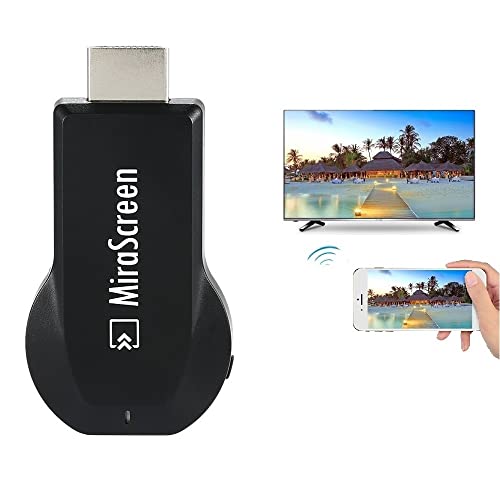
    SmartSee MiraScreen Wireless Display Adapter Dongle 1080P HD Screen Mirroring Media Player Stick for Tablet Smartphone Compatible with Miracast Airplay DLNA

    Image of SmartSee MiraScreen Wireless Display Adapter Dongle 1080P HD Screen Mirroring Media Player Stick for Tablet Smartphone Compatible with Miracast Airplay DLNA

    Product Highlights

    • ✅ Wireless Display–Instantly mirror your phone screen on tv wirelessly, cast a small screen to a large screen, including sharing 1080P videos(unencrypted only), games, audio, pictures, Apps and files from your smartphone laptop tablet PC to your big screen HDTV, projectors and monitor. Support up to 1080P resolution. Ideal for screen mirroring, presentations, online learning, and entertainment.
    • ✅ Wide Compatibility–Works with most mainstream smart devices: iOS 9.0+, Android 4.4+, and Windows laptops/PCs. Miracast Required–Android and Windows devices must support the Miracast protocol for screen mirroring. Device Limitations–Not compatible with Google Pixel or Motorola phones. Screen Mirroring–Supports YouTube, Facebook, Twitter, and most online video apps for smooth wireless display. App Restrictions–Not compatible with copyright-protected apps such as Netflix, iTunes, Amazon Video, HBO Go, Hulu Plus, Honda Motor, ESPN, etc.
    • ✅ Easy to use–No App or drivers required. Only 3 steps to enjoy media on large screen: Plug->Connect->Mirroring by using Miracast, DLNA and Airplay mode. Designs 2 modes: Airplay mode and MiraCast mode. Airplay mode is for iPhone iPad Macbook; Miracast mode is for Android devices and Windows devices. Press the button on the dongle to switch to the corresponding mode.
    • ✅ Compact & Easy to carry–Perfect for home entertainment, business conference and school presentation, even when you are at hotel, connecting phone to TV easily without sharing your information. Videos, pictures, PowerPoint, Excel, Word, PDF from your smart phone, tablet, laptop to HD TV and Projector. Recognize your IP address and match your local language automatically.
    Please share this:

    Facebook         Twitter         Linkedin         Pinterest        

    💬 Share Your Experience

    Your email address will not be published. Required fields are marked *